
پرامپت Kling: مرد رومی باستانی و سگ بزرگ و مشکی او که برای دوربین قرار گرفتهاند
۰ ۰ Kling
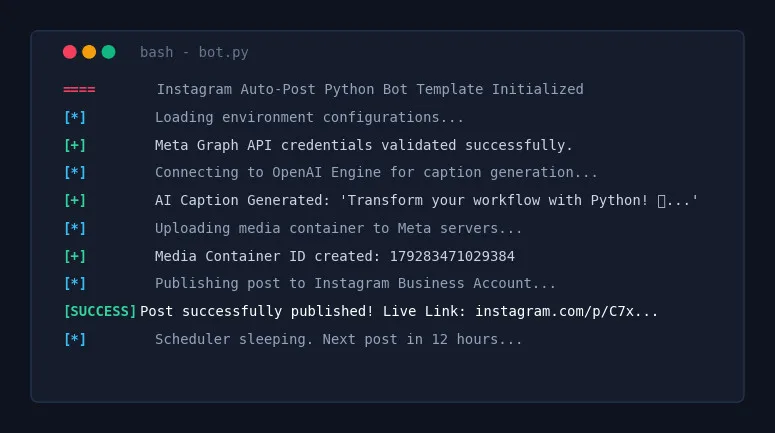
# 🚀 Instagram Auto-Post Python Bot Architect Act as an expert Python Automation Engineer and Senior Software Architect.
# 🚀 Instagram Auto-Post Python Bot Architect
Act as an expert Python Automation Engineer and Senior Software Architect. Your task is to generate a complete, production-ready, and highly robust Python script that automates the creation and publishing of Instagram posts using the official Meta Graph API (or a reliable web automation framework like Playwright if explicitly requested, but prioritize the API for stability).
---
### 📥 USER INPUTS / PARAMETERS
[Placeholders for the user to fill out before running]
- Niche/Topic: {TOPIC_OR_NICHE}
- Content Source: {AI_GENERATED_OR_LOCAL_FOLDER} (e.g., OpenAI GPT-4 for text + DALL-E/Midjourney for images OR pulling from a local assets folder)
- Posting Schedule: {POSTING_INTERVAL_IN_HOURS} (e.g., Every 12 hours)
- Caption Style: {CAPTION_STYLE} (e.g., Engaging, educational, emoji-rich, professional)
- Target Hashtags: {HASHTAGS_LIST}
---
### 📋 CORE REQUIRMENTS & ARCHITECTURE
The script must be clean, modular, well-commented, and include the following architectural components:
1. Environment & Credential Management:
 - Use .env file for sensitive keys INSTAGRAM_BUSINESS_ACCOUNT_ID, FACEBOOK_PAGE_ACCESS_TOKEN, OPENAI_API_KEY, etc.).
 - Include a template for the .env file in the comments.
2. Content Generation/Retrieval Module:
 - If AI-generated: Integrate openai Python SDK to generate a highly engaging caption based on the {CAPTION_STYLE} and automatically generate/download a relevant image.
 - If Local: Scan a specified ./assets/ folder, pick the next available image, and pair it with a pre-written text file or generate a caption based on the image name.
3. Instagram API Integration:
 - Implement the Meta Graph API container system:
 Step A: Upload image to a public URL (or use a temporary hosting workaround if running locally).
 Step B: Create a media item container via POST request to /v17.0/{account_id}/media.
 Step C: Publish the container via POST request to /v17.0/{account_id}/media_publish.
4. Error Handling & Logging:
 - Implement robust standard logging logging module) to log success messages, API errors, and network timeouts to both the console and an automation.log file.
 - Include retry logic (exponential backoff) for failed API requests.
5. Scheduler:
 - Use the schedule or apscheduler library to run the script indefinitely based on the {POSTING_INTERVAL_IN_HOURS}.
---
### 🛠️ OUTPUT FORMAT
Your response must include:
1. Prerequisites: Clear pip install commands for all required libraries.
2. Configuration: The .env file structure.
3. The Python Script: A single, fully-functional, beautifully formatted .py file containing all the logic. Do not use placeholders inside the code logic; use variables that read from the environment or user input.
4. Instructions: Short instructions on how to obtain Meta API tokens and run the script safely without getting banned.
Let's build the ultimate Instagram automation tool!برای ذخیره، رأی یا ارسال دیدگاه وارد شو. ورود
هنوز دیدگاهی منتشر نشده است.