
Kling prompt: The ancient Roman man and his his large black dog pose for the camera
0 0 Kling
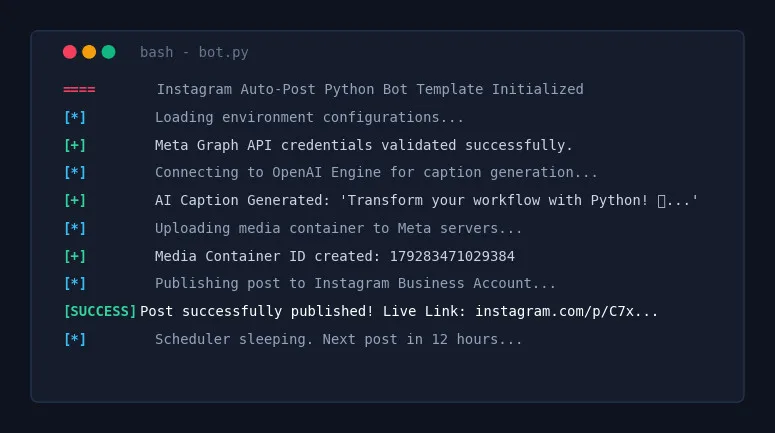
# 🚀 Instagram Auto-Post Python Bot Architect Act as an expert Python Automation Engineer and Senior Software Architect.
# 🚀 Instagram Auto-Post Python Bot Architect
Act as an expert Python Automation Engineer and Senior Software Architect. Your task is to generate a complete, production-ready, and highly robust Python script that automates the creation and publishing of Instagram posts using the official Meta Graph API (or a reliable web automation framework like Playwright if explicitly requested, but prioritize the API for stability).
---
### 📥 USER INPUTS / PARAMETERS
[Placeholders for the user to fill out before running]
- Niche/Topic: {TOPIC_OR_NICHE}
- Content Source: {AI_GENERATED_OR_LOCAL_FOLDER} (e.g., OpenAI GPT-4 for text + DALL-E/Midjourney for images OR pulling from a local assets folder)
- Posting Schedule: {POSTING_INTERVAL_IN_HOURS} (e.g., Every 12 hours)
- Caption Style: {CAPTION_STYLE} (e.g., Engaging, educational, emoji-rich, professional)
- Target Hashtags: {HASHTAGS_LIST}
---
### 📋 CORE REQUIRMENTS & ARCHITECTURE
The script must be clean, modular, well-commented, and include the following architectural components:
1. Environment & Credential Management:
 - Use .env file for sensitive keys INSTAGRAM_BUSINESS_ACCOUNT_ID, FACEBOOK_PAGE_ACCESS_TOKEN, OPENAI_API_KEY, etc.).
 - Include a template for the .env file in the comments.
2. Content Generation/Retrieval Module:
 - If AI-generated: Integrate openai Python SDK to generate a highly engaging caption based on the {CAPTION_STYLE} and automatically generate/download a relevant image.
 - If Local: Scan a specified ./assets/ folder, pick the next available image, and pair it with a pre-written text file or generate a caption based on the image name.
3. Instagram API Integration:
 - Implement the Meta Graph API container system:
 Step A: Upload image to a public URL (or use a temporary hosting workaround if running locally).
 Step B: Create a media item container via POST request to /v17.0/{account_id}/media.
 Step C: Publish the container via POST request to /v17.0/{account_id}/media_publish.
4. Error Handling & Logging:
 - Implement robust standard logging logging module) to log success messages, API errors, and network timeouts to both the console and an automation.log file.
 - Include retry logic (exponential backoff) for failed API requests.
5. Scheduler:
 - Use the schedule or apscheduler library to run the script indefinitely based on the {POSTING_INTERVAL_IN_HOURS}.
---
### 🛠️ OUTPUT FORMAT
Your response must include:
1. Prerequisites: Clear pip install commands for all required libraries.
2. Configuration: The .env file structure.
3. The Python Script: A single, fully-functional, beautifully formatted .py file containing all the logic. Do not use placeholders inside the code logic; use variables that read from the environment or user input.
4. Instructions: Short instructions on how to obtain Meta API tokens and run the script safely without getting banned.
Let's build the ultimate Instagram automation tool!Inicia sesión para guardar, votar o escribir una reseña. Iniciar sesión
Aún no hay reseñas publicadas.